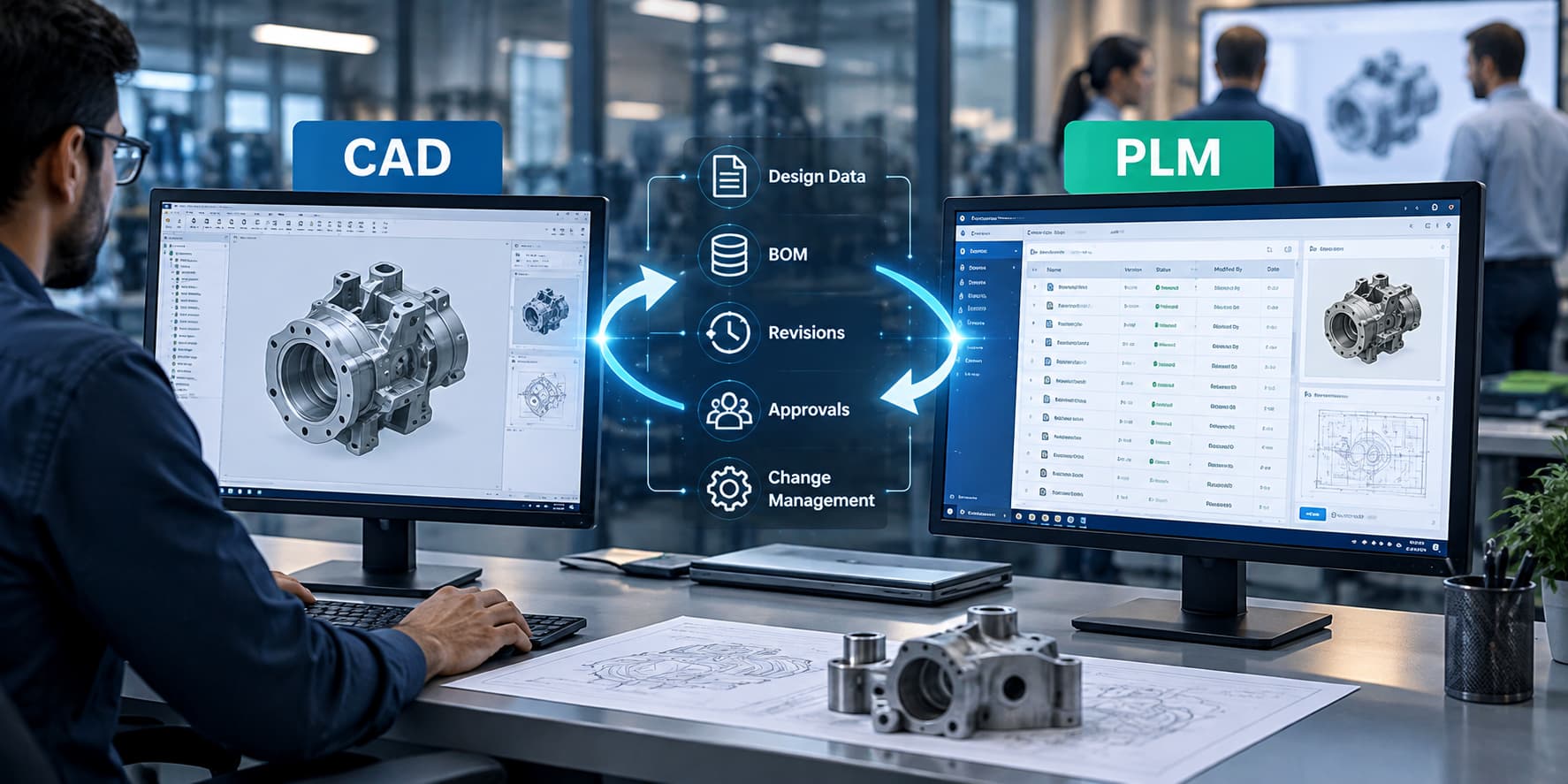
How to Integrate CAD Software with PLM Systems: Benefits, Process & Best Practices
Your engineering team has created the CAD model. But what happens next?
Where is the latest version stored? Who approved it? Does the BOM match the latest design? Has the manufacturing team received the updated drawing? What happens when the design changes? Can another engineer quickly find and reuse an existing component?
If these questions are being answered through emails, spreadsheets, shared folders, or repeated conversations, the problem may not be the CAD software itself. The bigger issue could be the lack of a connected CAD and PLM environment.
CAD-PLM integration connects design data with product information, revisions, BOMs, approvals, and engineering processes, helping teams manage product information in a more organized and controlled way.
For companies looking to reduce design-data confusion, improve collaboration, control revisions, and manage engineering changes more effectively, integrating CAD software with PLM can be an important step.
Sumedhas Tech Solutions provides PLM consulting, implementation, integration, licensing, migration, customization, and support services for engineering and manufacturing organizations.
What Is CAD-PLM Integration?
CAD-PLM integration means connecting your CAD software with a Product Lifecycle Management system so that design information can be managed together with the product information and processes surrounding it.
Think of it this way:
CAD helps you create the product design.
PLM helps you manage the information and processes connected to that product.
When they work together, engineers can work with controlled design data while teams across engineering, manufacturing, quality, procurement, and other functions can access the information they need according to their roles.
Instead of having:
CAD files + spreadsheets + emails + shared folders + separate BOMs
you can move towards:
CAD + PLM + controlled product information + connected workflows
That connection is the real value of CAD-PLM integration.
What Problems Does CAD-PLM Integration Solve?
This is one of the most important questions to ask before investing in a PLM system.
CAD-PLM integration is not simply about connecting two software applications. It is about solving everyday problems that occur when engineering data is spread across different locations and systems.
Problem 1: “Which CAD File Is the Latest One?”
This is one of the most common problems engineering teams face.
A designer makes a change to a component. A revised drawing is saved in one folder, an older version remains in another location, and someone has already shared the previous file with another department.
Now the team has to spend time checking:
- Which file is current?
- Which version was approved?
- Who changed it?
- When was it changed?
- Can this version be used for production?
With CAD-PLM integration, product data can be managed through controlled versions and revisions.
The benefit: teams spend less time searching for the correct design information and have better visibility into the status of product data.
Problem 2: Different Teams Are Working With Different Information
Engineering may have one version of a design.
Manufacturing may have another drawing.
Procurement may be referring to an older BOM.
Quality may be reviewing a previous specification.
This creates unnecessary clarification, rework, and delays.
A connected CAD and PLM environment helps bring relevant product information into a controlled system so that teams can work from the appropriate product data.
The benefit: better coordination between engineering and other departments.
Discuss Your Product Data Challenges
Problem 3: Engineering Changes Are Difficult to Track
Design changes are normal in product development.
The problem starts when nobody has a clear view of what changed and what else is affected.
For example, changing one component may affect:
- An assembly
- A drawing
- A BOM
- Manufacturing instructions
- Procurement
- Quality documentation
Without a structured process, engineers may have to manually inform multiple people and track responses through email.
With PLM, engineering changes can be managed through defined processes, approvals, and product relationships.
The benefit: greater visibility into what changed, why it changed, and which product information is affected.
Problem 4: CAD Data and BOMs Do Not Match
Imagine an engineer modifies an assembly but the BOM maintained in another system is not updated correctly.
Now purchasing may order the wrong component, or manufacturing may receive information that does not match the current design.
Connecting CAD information with PLM product structures can help organizations maintain better alignment between design information and product information.
The benefit: fewer manual checks and better consistency between CAD data and product structures.
Problem 5: Engineers Cannot Easily Find Existing Designs
An organization may already have hundreds or thousands of components.
Yet engineers may recreate a component simply because they cannot quickly find the existing design.
This can lead to:
- Duplicate parts
- Duplicate designs
- Unnecessary engineering work
- More product variants
- Additional maintenance effort
A properly organized PLM environment can make product information easier to search and reuse.
The benefit: engineers can spend more time designing new products and less time recreating information that already exists.
Problem 6: Too Much Time Is Spent Managing Files
When engineers spend a significant amount of time naming files, checking folders, sending attachments, confirming versions, and following up on approvals, they are spending time on information management instead of engineering work.
CAD-PLM integration can bring these activities into a more structured environment.
The benefit: less dependency on manual file handling and email-based coordination.
Problem 7: Management Has Limited Visibility Into Product Development
Engineering data can be difficult to understand when it is spread across individual systems and folders.
A PLM environment can provide greater visibility into product structures, changes, approvals, and lifecycle status.
The benefit: decision-makers can have a clearer view of product information and engineering activities.
CAD-PLM Integration in a Simple Example
Consider a company designing industrial equipment.
An engineer creates a 3D assembly and sends the drawing to the manufacturing team.
Later, the engineer changes one component.
The drawing is updated, but the manufacturing team still has the previous PDF. Procurement is also working with an older BOM.
The engineering team now has to send emails, replace files, explain the change, and confirm that everyone has received the correct information.
This is where CAD-PLM integration can help.
With a connected environment, the design information can be managed alongside the relevant product structure, revisions, and change process.
The objective is not simply to store the CAD file.
The objective is to connect the CAD file to the product information and processes that depend on it.
That distinction is important when evaluating CAD-PLM integration.
What Are the Benefits of Integrating CAD With PLM?
Once the basic problems are understood, the benefits become much easier to see.
Better Control Over CAD Data
Teams can work with controlled product information rather than relying heavily on individual folders and email attachments.
Improved Revision Management
Teams can identify different versions and revisions more clearly.
Better Collaboration
Engineering, manufacturing, quality, procurement, and other teams can access the information relevant to their responsibilities.
Improved BOM Management
Connecting design information with product structures can help reduce inconsistencies between CAD data and BOM information.
Easier Design Reuse
A searchable product data environment can help engineers identify existing parts and designs.
Better Engineering Change Management
Changes can follow defined processes rather than being managed entirely through email and manual follow-ups.
Greater Traceability
Organizations can maintain better visibility into product changes, approvals, and revisions.
Reduced Rework
When teams have better access to the correct product information, avoidable rework caused by outdated or incorrect data can be reduced.
See How CAD-PLM Integration Can Help Your Organization
Why CAD-PLM Integration Matters for Growing Engineering Teams
As the number of products, engineers, locations, suppliers, and design revisions increases, managing product information manually becomes increasingly difficult.
A small engineering team may initially manage CAD files through shared folders without major problems.
But as the organization grows, questions start appearing:
- Who owns this design?
- Which version should manufacturing use?
- Has this change been approved?
- Where is the latest drawing?
- Is this component already available?
- Does the BOM match the latest design?
- Which products are affected by this change?
PLM provides a structured way to address these questions.
CAD-PLM integration takes this one step further by connecting the design environment with the product information environment.
How Does CAD-PLM Integration Work?
The technical approach varies from organization to organization, but the overall process can be explained simply.
1. Understand the Current Process
First, identify how CAD data is currently created, stored, shared, reviewed, changed, and approved.
2. Identify the Main Problems
Determine where teams are losing time.
Is it:
- Finding files?
- Managing revisions?
- Updating BOMs?
- Approving changes?
- Sharing information?
- Reusing existing designs?
3. Define the PLM Structure
Decide how parts, CAD files, drawings, assemblies, BOMs, documents, revisions, and approvals should be organized.
4. Connect CAD With PLM
Configure the CAD and PLM environment so that product data can be managed through the defined processes.
5. Move and Organize Relevant Data
Existing product information can be assessed and migrated according to business requirements.
6. Test With Real Projects
Rather than testing only the software connection, test common engineering activities such as creating a design, revising it, releasing it, and managing a change.
7. Train the Team
Users need to understand not only how to use the system but also how their existing engineering processes will work within the new environment.
8. Provide Ongoing Support
After implementation, organizations may require support, improvements, additional integrations, upgrades, and user assistance.
Sumedhas Tech Solutions supports organizations across PLM consulting, implementation, integration, migration, customization, training, and application support.
Request a CAD-PLM Consultation
What Should You Consider Before Integrating CAD With PLM?
Before selecting a solution or implementation partner, consider the bigger picture.
Your CAD Environment
Identify the CAD applications currently used across engineering teams.
Your Product Data
Understand where drawings, models, assemblies, BOMs, specifications, and related information are stored.
Your Engineering Processes
Document how designs are created, reviewed, approved, released, and changed.
Your Existing Business Systems
Consider how PLM needs to work with ERP, manufacturing, quality, document management, or other enterprise systems.
Your Team
Consider how designers, engineers, managers, manufacturing teams, suppliers, and other users will interact with product information.
Your Growth Plans
The solution should be capable of supporting increasing product complexity, users, data, and business requirements.
What Are the Common Challenges in CAD-PLM Integration?
CAD-PLM integration can deliver significant benefits, but organizations should plan carefully.
Common challenges include:
- Large volumes of legacy CAD data
- Duplicate or inconsistent files
- Different naming conventions
- Complex product structures
- Existing manual processes
- Integration with other enterprise systems
- User adoption
- Data migration
- Access and security requirements
- Customization requirements
The solution is not to eliminate every existing process immediately.
A better approach is to understand the current environment, prioritize the biggest problems, and introduce the right processes in a structured way.
Best Practices for CAD-PLM Integration
Start With the Business Problem
Do not begin with software features.
Begin with questions such as:
Where are we losing time?
Where are errors occurring?
Why are revisions difficult to control?
Why are engineers recreating existing designs?
Where does information get lost between engineering and manufacturing?
The answers should guide the integration strategy.
Keep Product Data Organized
Define clear naming, numbering, revision, classification, and access rules.
Standardize Change Management
Create a consistent process for requesting, reviewing, approving, and implementing engineering changes.
Avoid Unnecessary Data Migration
Not every old file needs to be moved into the new system. Identify which information is relevant and establish a practical migration strategy.
Train Users Based on Their Roles
A designer does not need the same training as a PLM administrator or manufacturing user.
Measure the Results
After implementation, monitor areas such as:
- Time spent searching for product information
- Duplicate design creation
- Engineering change turnaround
- Revision-related issues
- BOM inconsistencies
- User adoption
This helps demonstrate whether the PLM investment is addressing the original business problems.
Why Choose Sumedhas Tech Solutions for CAD-PLM Integration?
Sumedhas Tech Solutions provides PLM consulting and services for organizations looking to improve product data and engineering processes.
The company provides services across:
- PLM consulting
- PLM implementation
- CAD-PLM integration
- PLM migration
- PLM upgrades
- PLM customization
- ERP and application integration
- Application support
- PLM training
- Resource augmentation
Sumedhas Tech Solutions is also an authorized PTC PLM license provider, giving organizations access to licensing support alongside implementation and PLM services.
This combination can be useful for companies that do not want to manage software licensing, implementation, integration, and ongoing support as completely separate activities.
Talk to Sumedhas Tech Solutions About Your PLM Requirements
Who Can Benefit From CAD-PLM Integration?
CAD-PLM integration can be relevant for organizations dealing with complex engineering data and multiple product development activities, including:
- Automotive companies
- Industrial equipment manufacturers
- Engineering companies
- Aerospace organizations
- High-tech product companies
- Machinery manufacturers
- Product design organizations
- Companies managing large engineering teams
It can be particularly useful when product information is growing faster than the organization’s ability to manage it manually.
Is CAD-PLM Integration Worth Considering for Your Organization?
A simple way to assess your current situation is to ask:
Do engineers frequently search for the latest CAD files?
Do different teams sometimes work with different revisions?
Are BOM updates handled manually?
Are engineering changes difficult to track?
Are engineers recreating existing parts because they cannot find them?
Is product information spread across multiple systems?
Does management lack visibility into product changes and approvals?
If several of these situations sound familiar, it may be worth evaluating how CAD and PLM can work together within your organization.
Conclusion: Connect CAD Data With the Product Information Around It
CAD software helps engineers create designs. But those designs do not exist independently.
They are connected to parts, assemblies, BOMs, revisions, approvals, engineering changes, manufacturing requirements, quality information, and other product data.
When these elements are managed separately, teams can spend significant time searching, checking, correcting, and communicating.
CAD-PLM integration brings these activities into a more connected and controlled environment.
The goal is straightforward:
Get the right product information to the right people, in the right version, at the right stage of the process.
For organizations evaluating CAD-PLM integration, the first step does not have to be a large implementation project. It can begin with understanding where product-data problems are occurring today and identifying which processes would benefit most from better connectivity.
Sumedhas Tech Solutions can help assess your current CAD and PLM environment, identify integration requirements, and recommend an approach based on your organization’s product data and engineering processes.
Looking to Integrate CAD With PLM?
Book a free PLM consultation or request a demo to discuss your CAD-PLM integration requirements.
Frequently Asked Questions About CAD-PLM Integration
What is CAD-PLM integration?
CAD-PLM integration connects CAD software with a Product Lifecycle Management system so that design data can be managed together with product structures, revisions, BOMs, documents, and engineering processes.
What problems does CAD-PLM integration solve?
It can address problems such as outdated CAD files, revision confusion, disconnected BOMs, duplicate designs, difficult engineering changes, excessive manual file handling, and limited product-data visibility.
What are the benefits of CAD-PLM integration?
Key benefits include improved CAD data control, revision management, collaboration, design reuse, BOM consistency, engineering change management, traceability, and product-data organization.
Is CAD-PLM integration only useful for large companies?
No. The need depends more on product complexity, engineering processes, data volume, and collaboration requirements than on company size.
Does CAD-PLM integration require existing PLM software?
The approach depends on the organization’s current technology environment and business requirements. A PLM assessment can help determine the appropriate architecture and implementation approach.
Can Sumedhas Tech Solutions help with CAD-PLM integration?
Yes. Sumedhas Tech Solutions provides PLM consulting, implementation, integration, migration, customization, training, licensing support, and application support.
If your team is facing CAD file confusion, revision issues, BOM inconsistencies, duplicate designs, manual engineering changes, or disconnected product information, speak with the Sumedhas Tech Solutions team.



You must be logged in to post a comment.